
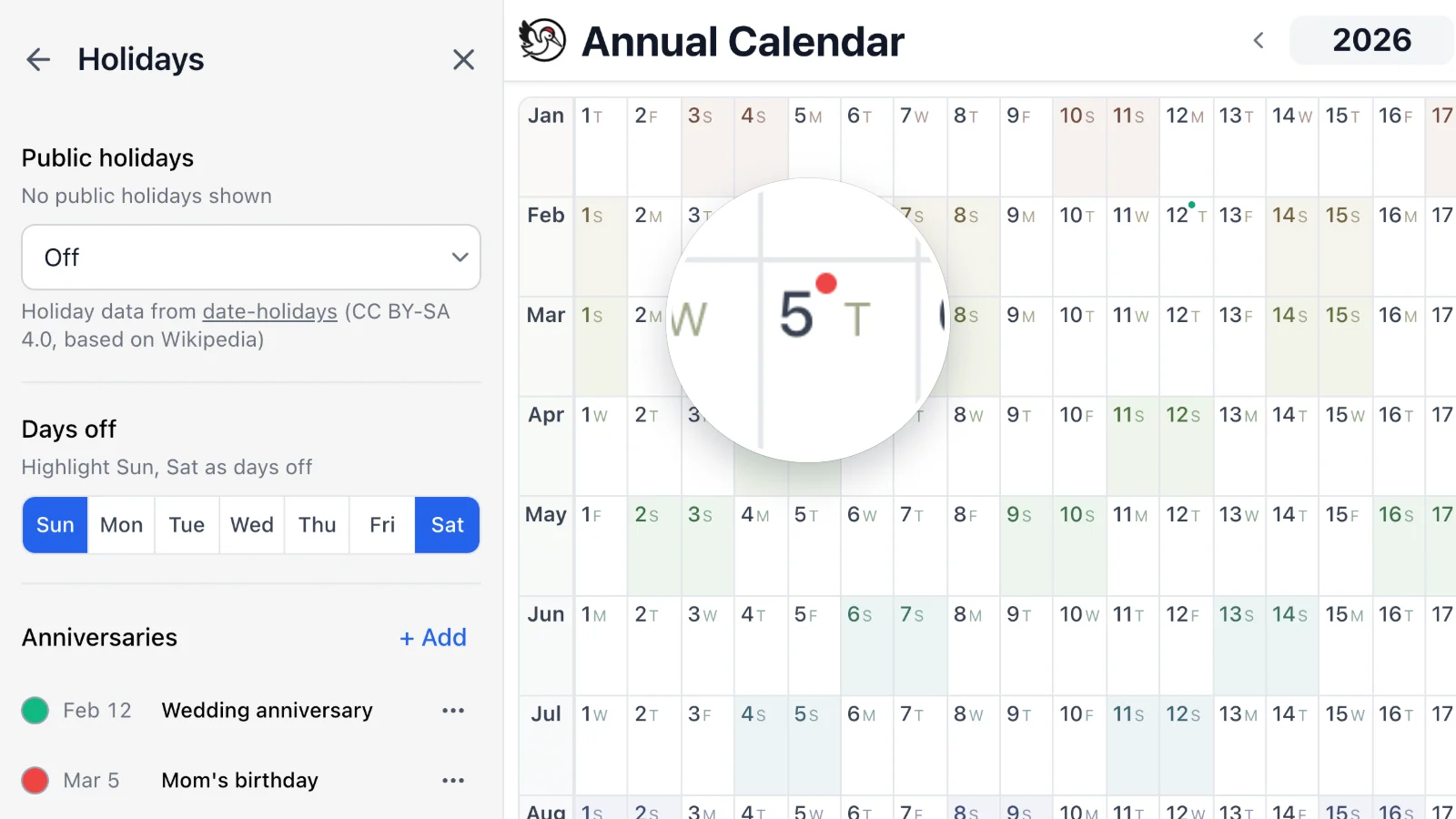
Some dates matter every year: a birthday, a wedding anniversary, the day a team was founded. Adding them as yearly events works, but they then compete for space with the plans on that day. Anniversaries mark the date itself instead.
Add an anniversary
Open Calendar Menu and choose Holidays. Next to Anniversaries, choose + Add. Pick the month and day, enter a name, and choose a color or use Custom color. The calendar updates as you edit, and Save keeps it.
See it on your year
A small colored dot appears beside the date number, every year. Point at the date or open the day’s panel to see its name. Your events on that day stay where they are.
Each calendar keeps its own anniversaries, and a published calendar shows them too. Anniversaries are a Premium feature.