
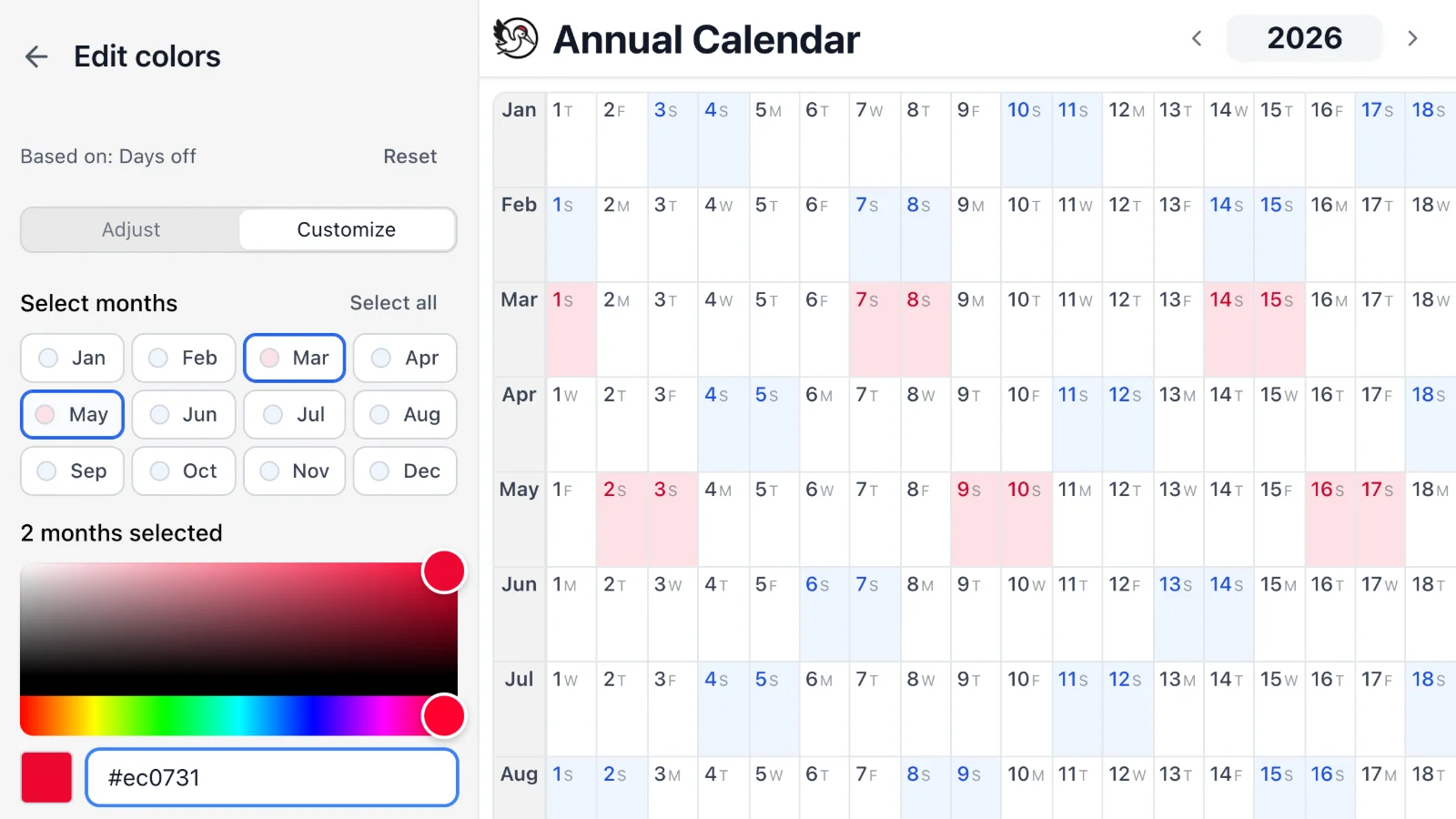
Until now, Color Tone gave you four fixed presets, and how strong they looked was one setting for your whole account. Now you can make a palette of your own and give each calendar the colors and strength that suit it, so a work calendar and a family calendar look different at a glance.
Choose a preset
Open Calendar Menu and choose Color Tone. Pick Days off, Subtle, Quarter, or Monthly under Palette. It applies to the calendar you’re viewing right away. Presets are on every plan.
Make a palette your own
With Premium, choose + Add next to My palettes. Use Adjust to change the hue, saturation, and opacity of the whole palette, or Customize to change selected months. The sun or moon beside the controls previews the calendar in the other theme, so you can tune light and dark separately.
Name the palette and choose Save. It applies to the calendar and stays under My palettes, ready for your other calendars. If your Premium plan ends, the colors you saved stay on your calendars.