
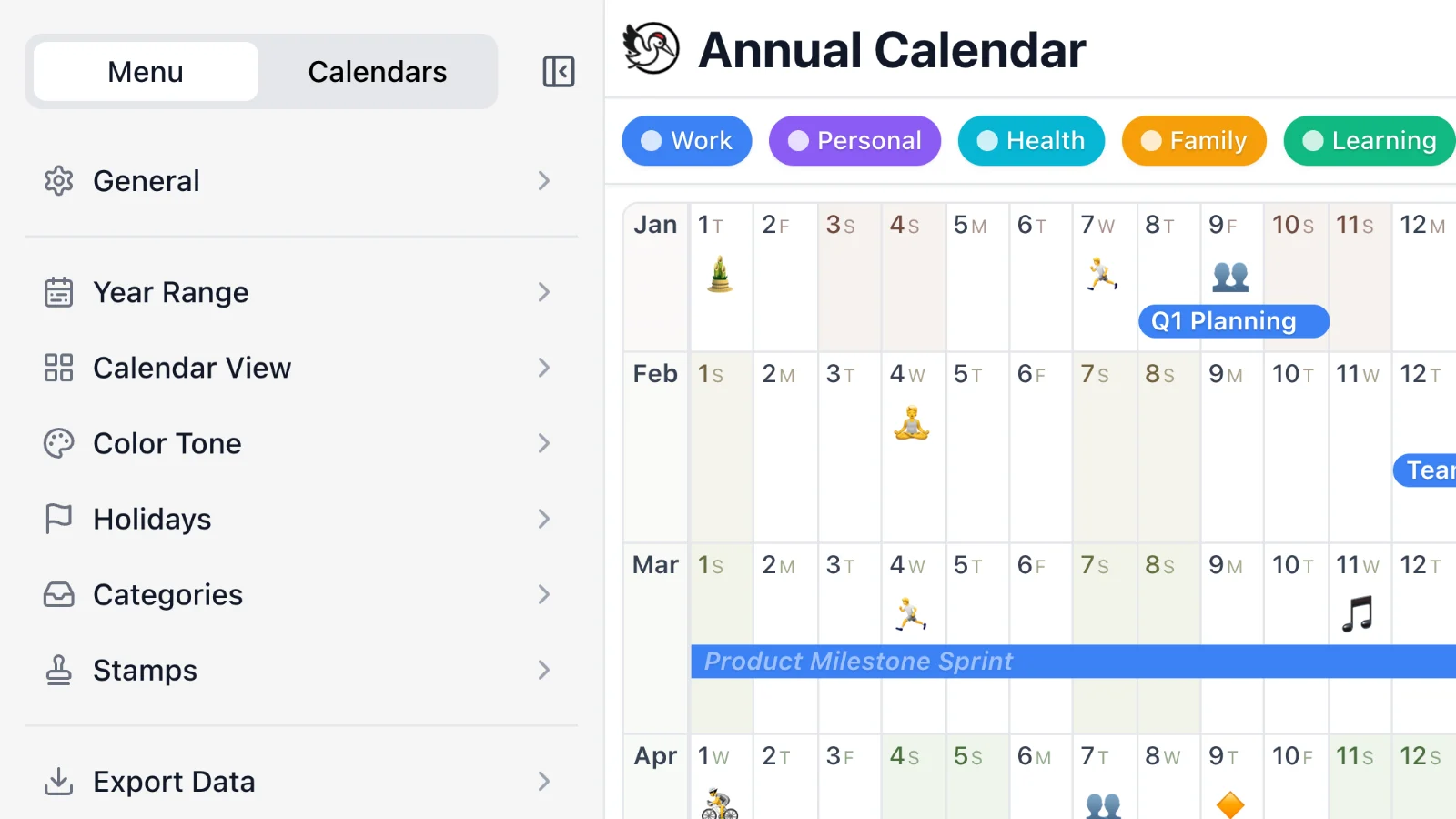
Your calendars and their settings used to sit in a menu under the calendar’s name, and each setting opened in a window over the year you were changing. Now both live in one sidebar beside your year.
Switch between your calendars
Select the sidebar icon at the top left and choose Calendars. Your own calendars appear under My calendars and the ones shared with you under Shared with me, so you can move between them in one click.
Find a calendar’s settings in Calendar Menu
Choose Calendar Menu to manage the calendar you’re viewing: General, Year Range, Calendar View, Color Tone, Holidays, Categories, Stamps, Overlay, Members, Publish, Export Data, and Print. Google Calendar Sync sits under For all calendars, because it applies across your calendars.
See the change while you make it
Settings open in the sidebar on the left on wider screens, and below the grid on narrower ones, so your year stays in view. Changes that apply right away show up as you choose them. Settings you save with Save or Update preview on the calendar first, and Cancel brings back what you had.