
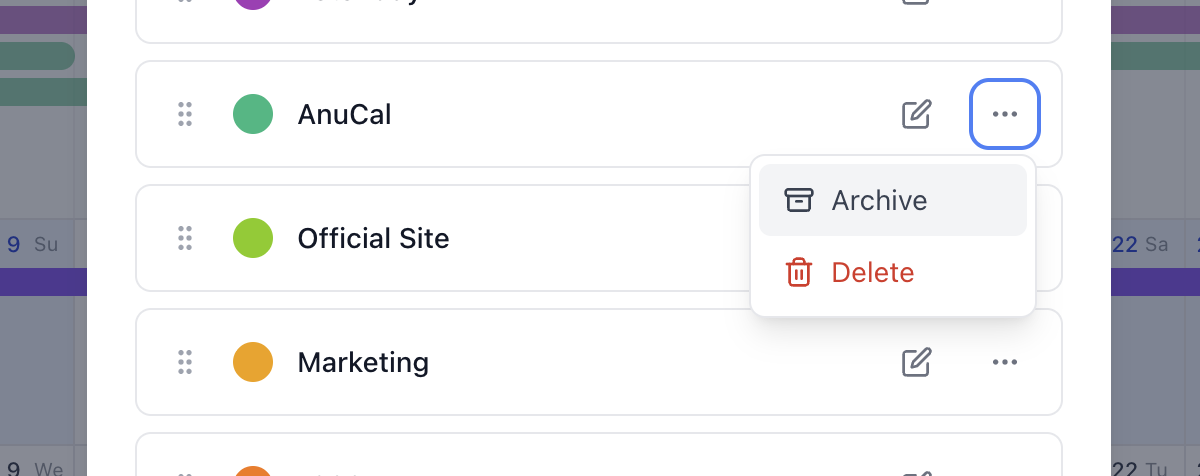
Some categories have an ending. A move, a launch, a course, a season of training — you plan it in detail, you live through it, and then one day the work is simply done. The category has served its purpose, but the year it holds is still worth keeping.
Until now AnuCal only offered one way to deal with that: delete the category, and take its events and stamps with it. That’s a poor trade. Deleting is for mistakes, not for finished chapters.
Category Archiving had been on our list for a while. What moved it up was a note from someone planning their wedding. They had used AnuCal to lay the whole thing out — the venue, the fittings, the hundred small deadlines — and it had worked. Their question was what to do afterwards. Once the day had passed they didn’t want that category on the calendar anymore, but they didn’t want to lose it either. They wanted to be able to look back.
That framing is what the feature is built around. Archiving isn’t a softer delete. It’s closing a book and putting it on the shelf.
What archiving does
Archive a category and it disappears from the calendar, from the category picker when you create events, and from your published calendar pages. The year gets quieter.
Nothing is removed. Every event and every stamp stays exactly where it was, attached to the same category, waiting. Restore the category and all of it comes back at once — same dates, same colors, same notes.
Archived categories collect in their own section below the active ones, each with a Restore button.
One category always stays
You can’t archive your last active category. A calendar with nothing to file events under isn’t a calendar you can use, so AnuCal keeps at least one active category standing. If you want to clear the decks completely, create the next chapter’s category first, then archive the old one.