
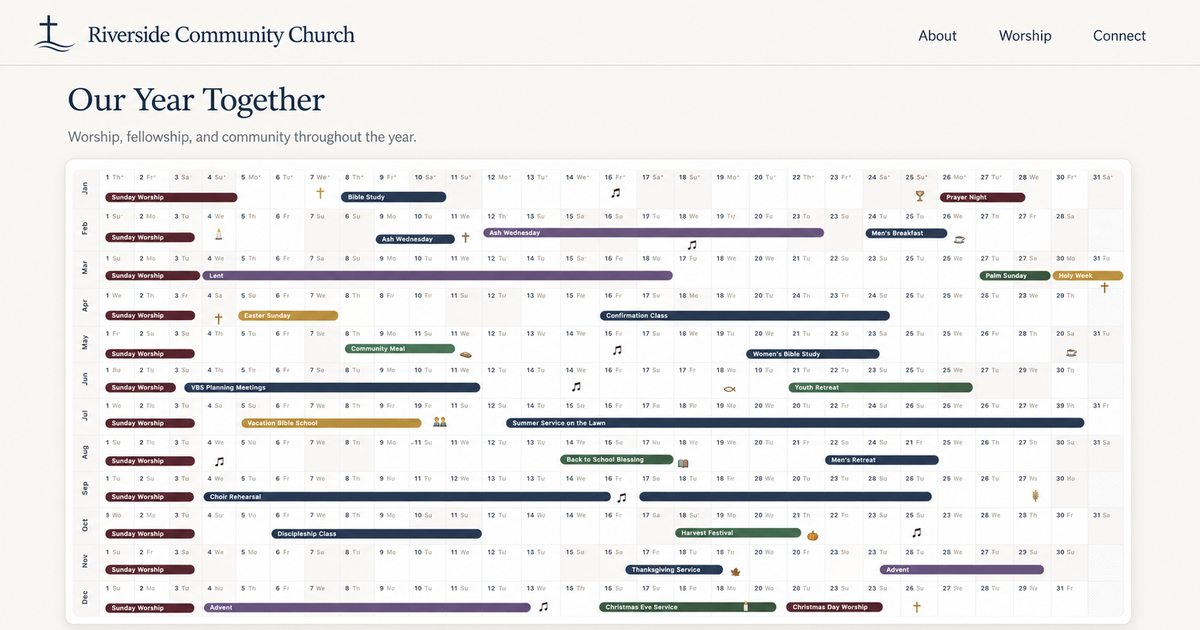
Public calendars are useful when people can see them where they already look for information. Embed a read-only AnuCal year in a school site, a clinic website, a church or nonprofit site, a site built with a website builder, or a Notion workspace.
Add a calendar to another site
- Open Publish settings for a public calendar in AnuCal.
- Copy the iframe code under Embed on your website.
- Paste it into a website builder, Notion, or another site that supports HTML embeds.
The generated code points to the public calendar and adds ?embed=1 automatically:
<iframe src="https://app.anucal.com/publish/your-slug?embed=1" width="100%" height="1200" style="border: 0;" title="Your calendar" loading="lazy"></iframe>A focused view for embedding
The embedded view keeps the calendar focused on the content your visitors came to see. It removes the Back to App navigation and replaces the full AnuCal footer navigation with a quiet © 2026 AnuCal label and a compact theme settings control.
The calendar remains interactive: visitors can change the year, filter categories, open event details, and use the controls available on the published calendar. The view does not require an AnuCal account.
One calendar, more places to see it
Embedding gives people a read-only window into the published year wherever the surrounding information already lives. Update the calendar in AnuCal once, and the embedded view follows the published version. It fits naturally alongside team information, community updates, shared workspaces, and client project pages — without asking visitors to sign in or maintain a second calendar.
Choose a height for the full year
The snippet starts at 1200px, which is a practical height for showing a full-year view. An iframe cannot resize itself to match its contents, so adjust the height to fit the space on your page. A shorter iframe can still be useful when you want visitors to scroll inside a defined calendar area.
Available on every plan
Embedding a public calendar is available wherever public calendars are available, including Free and Premium. The embedded view keeps a subtle AnuCal attribution so calendars can travel without making the host site feel like another app.