
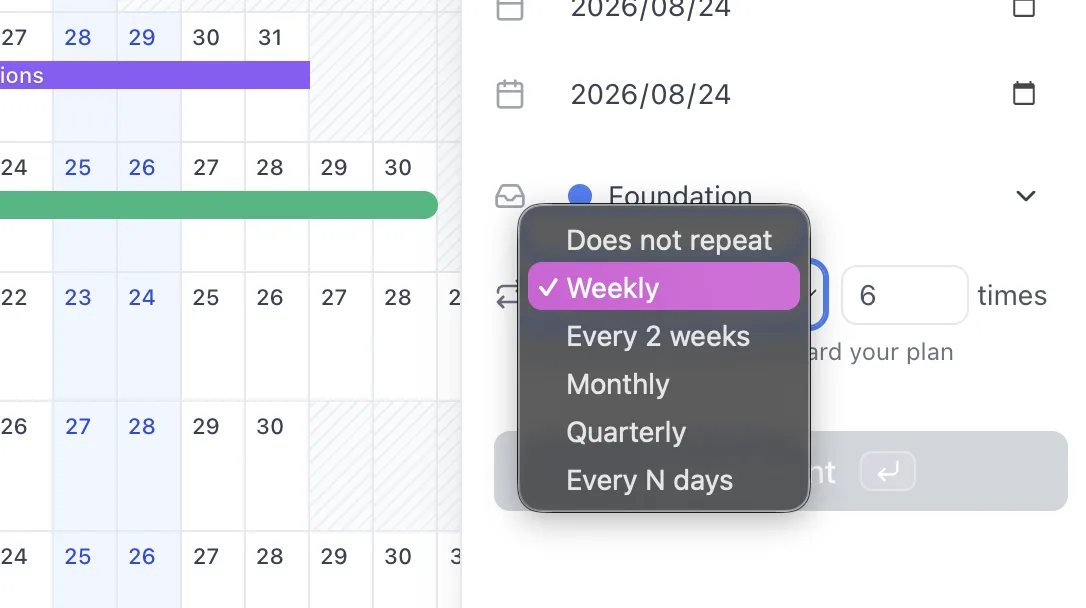
Events can now repeat. Open an event, pick how often, and say how many times.
How to set it up
- Open any event you can edit and find Repeat
- Choose Weekly, Every 2 weeks, Monthly, Quarterly, or Every N days
- Set how many times it should happen
- Every repeat that falls in the year you are viewing appears straight away
There is nothing else to fill in. The weekday of a weekly series and the day of the month of a monthly one both come from the event’s own start date.
Google Calendar events and events overlaid from another calendar are read-only in AnuCal, so they cannot be given a repeat.
How series behave
- Series end after the number of times you set. There is no open-ended repeat — you always name a number
- A multi-day event keeps its length on every repeat
- A monthly series skips the months that do not have that day. A series on the 31st runs in January, March, May, and so on, and still gives you the number of times you asked for
- Move or rename the event that carries the rule and the whole series follows
- Click any repeat to open it; from there you can jump to the event that holds the rule
Where series show up
- On the year grid — every repeat that falls in the year you are viewing. A series that runs past it continues into the next year, so switch years to follow it
- On shared and published calendars
- In CSV export, as one row per repeat, each keeping its own start and end dates — ready to import into Google Calendar
Plans
Repeating events work on every plan. On Free, each repeat counts as one of your 30 events — a weekly series of six uses six.
The panel shows the number while you are choosing, so the count is there before you save.